Posts

How to create predictive analysis using Microsoft Azure Machine Learning
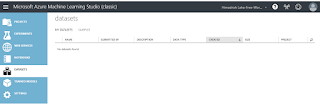
Image
This is self driven learning post where I'll walk through very simple steps to create a prediction model using Microsoft Azure Machine Learning. Azure ML Studio is having plenty of features and you just needs to drag right things and configure. Couple of clicks actually help you to reach your goal, and that's why I love Microsoft so much! Okay, let's stat. First, all we have to do, is to visit  https://studio.azureml.net/  to create the experiment using your favorite browser. Now, we need data on which the prediction needs to implement. To do so, click on DATASETS on the left navigation. You are no on My DATASETS TAB. You can use existing DATSETS(data) as well, if you want to. Clicking on Samples TAB allow you to do so. Okay, now click on " + " icon on the botton to create a new DATASET.  Simple, way to upload the CSV file from your computer. I downloaded earlier the CSV file from  https://archive.ics.uci.edu/ml/machine-learning-databases/au...

How to place JOIN in Azure DevOps QueryEditor

Image
Azure DevOps provides a feature called Query Editor where you can put your query using simple UI and run this. Simple query can be place/create here very easily. Complex query like join query would be a tricky one. Here, I tried to simplify how we can design a join query using Query Editor. Let's say I want to see all the bugs which already got closed or resolved by my team. Here, we know which ADO field is what for. For example ADO field AreaPath represents project team. In SQL term it is like SELECT * FROM MT-DEVOPS-PROJECT-DATA WHERE PROJECT=My-Project AND TYPE='Bug' AND (STATUS = 'Resolved' OR STATUS = 'Closed'  OR STATUS = 'Completed')

About R language

R is a programming languages, mostly used in statistical and analysis  purpose. It also provides good graphical representation, like chart can be created easily with analytical data. We are using machine learning and in Data Science computing as well. R is available as Free Software under GNU General Public License. Here is R project link -  https://www.r-project.org/about.html  and manual/documentation link -  https://cran.r-project.org/manuals.html R language can run on Unix as well as in Windows. You can download R from CRAN home page  https://cran.r-project.org/ . Both for Unix and Window. There is one great IDE for R as well, and this is from RStudio. Here you can download R Studio -  https://rstudio.com/products/rstudio/ Here more about  R from Wikipedia -  https://en.wikipedia.org/wiki/R_(programming_language) Also, link from public R official blog -  https://developer.r-project.org/Blog/public/ R do have some great featu...

Session - Python

This is python session, developed keeping in mind for Data Science applications. Please feel free ask your questions/comments here. Thank you for watching the session!

Power BI October, 19 updates

Diwali and Halloween are two great festivals and knocking our door. This October month, Microsoft lances bunch of new features and some great updates on Power BI. Let’s review them in real quick way. Under Reporting section , they introduce new Automatic page refresh for DirectQuery (preview) . This is really great! In Page refresh card, you can just put 1 and every seconds whatever updates made will reflect on your report. Awesome! Under Analytics section , they introduce new Q&A visual . Bringing natural language generation even more to the forefront of reporting in Power BI with this new Q&A visual. Just drag this visual to your report and play with keyword. It understands your query, it will suggest you the best possible result, it will point out which might be your spelling mistakes and recommend correct key word, allow me to save a keyword with meaningful value. Like a supercomputer running and standing for my key press only!!! Very useful for business users. ...

How to fix Azure DevOps Error CS0579

Image
During build process of one ASP.NET web application in Azure DevOps environment, I face the error  CS0579 multiple times. Everything looks great to me, but continuous crappy error keep saying issues in AssemblyInfo.cs file. Below are few red error I have face during setup this project. "SharePointServicesWebApp\Properties\AssemblyInfo.cs(8,12): Error CS0579: Duplicate 'AssemblyTitle' attribute" ##[error]SharePointServicesWebApp\Properties\AssemblyInfo.cs(9,12): Error CS0579: Duplicate 'AssemblyDescription' attribute ##[error]SharePointServicesWebApp\Properties\AssemblyInfo.cs(10,12): Error CS0579: Duplicate 'AssemblyConfiguration' attribute ##[error]SharePointServicesWebApp\Properties\AssemblyInfo.cs(11,12): Error CS0579: Duplicate 'AssemblyCompany' attribute I was quite sure there is something coming up during build process and make this as duplicate. Because this build process also provides assembly information other way rou...

How to fix Azure DevOps error MSB4126

Image
Setting up build and release pipeline always tedious and we face many build related issues. Here is one common error I face couple of times while setting app Web or windows apps in Azure DevOps After placing the code in repos, and creating the build pipeline and run it, you can face the following error ##[error]D:\a\8\s\<your solution file>.sln.metaproj(0,0): Error MSB4126: The specified solution configuration "release|$(BuildPlatform)" is invalid. Please specify a valid solution configuration using the Configuration and Platform properties (e.g. MSBuild.exe Solution.sln /p:Configuration=Debug /p:Platform="Any CPU") or leave those properties blank to use the default solution configuration. To understand what is target platform defined in your project you need to visit or open the solution(.sln) file and review the following sections. In my case, this has been defined as x86 as target platform.         ...