Posts

Showing posts with the label Data Science

Spark seetings in Microsoft Fabric

Image
Micrsoft Fabric brings many teams in one platform - It joining Data Engineering, Data Science, and Reporting landscape in one platform.  Lakehouse is new concept in Faric and here it is. Question is why we are going to use Lakehouse while Micrsoft do have existing data storage platform. They do have multiple options in Data Engineering area. I believe Microsoft is now looking to operate on a fully managed compute platform that can support Data Engineering and Data Science experiences - Selecting Apache spark features and services, Microsoft Fabric started it's journey. Fabric do using starter pools. With starter pools, we can expect rapid Spark session initialization, typically within 5 to 10 seconds, with no need for manual setup. Starter pools have Spark clusters that are always on and ready for your requests.  Starter pools are a fast and easy way to use Spark on the Microsoft Fabric platform within seconds. You can use Spark sessions right away, instead of waiting for Spar...

Microsoft Fabric - Step-By-Step Learning Notes

Image
So far, what we have learned in Data Engineering area specific to Microsoft Azure Cloud - Starting with Azure Data Factory, and then Data Flow, Data Bricks, SCALA, Python, Azure Synapse, and finally we are landing to prepare visualization report using Micrsoft Power BI.  Azure provides inteligency applicable areas for handling data and prdiction - We use Micrsoft Machine Learning workspace and its services. Matured platform providing services and easily plug-and-play model. Micrsoft now presents Fabric - the BIG jump in this era - At enterprise level, this includes everything under one umbrealla - It brings together experiences such as Data Engineering, Data Factory, Data Science, Data Warehouse, Real-Time Analytics, and Power BI onto a shared SaaS foundation.                                                              ...

Session on pandas

Image
Pandas is one of the best framework in Data Science world. Below is one of the quick session on pandas, it is mainly focused on hands-on activity. Hope you will enjoy this and please feel free to post your comments/suggestions/questions.

How to create predictive analysis using Microsoft Azure Machine Learning

Image
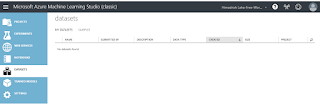
This is self driven learning post where I'll walk through very simple steps to create a prediction model using Microsoft Azure Machine Learning. Azure ML Studio is having plenty of features and you just needs to drag right things and configure. Couple of clicks actually help you to reach your goal, and that's why I love Microsoft so much! Okay, let's stat. First, all we have to do, is to visit  https://studio.azureml.net/  to create the experiment using your favorite browser. Now, we need data on which the prediction needs to implement. To do so, click on DATASETS on the left navigation. You are no on My DATASETS TAB. You can use existing DATSETS(data) as well, if you want to. Clicking on Samples TAB allow you to do so. Okay, now click on " + " icon on the botton to create a new DATASET.  Simple, way to upload the CSV file from your computer. I downloaded earlier the CSV file from  https://archive.ics.uci.edu/ml/machine-learning-databases/au...